
A New Report Is Not a Strategy
Search Console AI reports are useful because they make an invisible problem slightly less invisible. Slightly. They can help owners see where AI-shaped search experiences may be affecting impressions, clicks, and customer behavior. They do not, by themselves, explain why leads are down, why competitors are being mentioned, or which page should be fixed first.
Search Engine Journal reported that Google said Search Console AI reports are now available globally, alongside discussion of recovery timing, markdown for AI crawlers, and sitemap cache-busting (https://www.searchenginejournal.com/seo-pulse-search-console-ai-reports-go-global-mueller-recovery/588443/). Treat that as a timely reporting signal, not a magic dashboard that suddenly makes AI visibility neat. Marketing dashboards rarely arrive with enlightenment included. Usually they arrive with three new tabs and a meeting.
For a business owner, the real question is not “Can I see AI report data?” It is: “Will this show me why fewer customers are finding, trusting, or choosing us?” The answer is yes, sometimes, if the report is connected to page quality, buyer intent, technical access, proof, and conversion data.
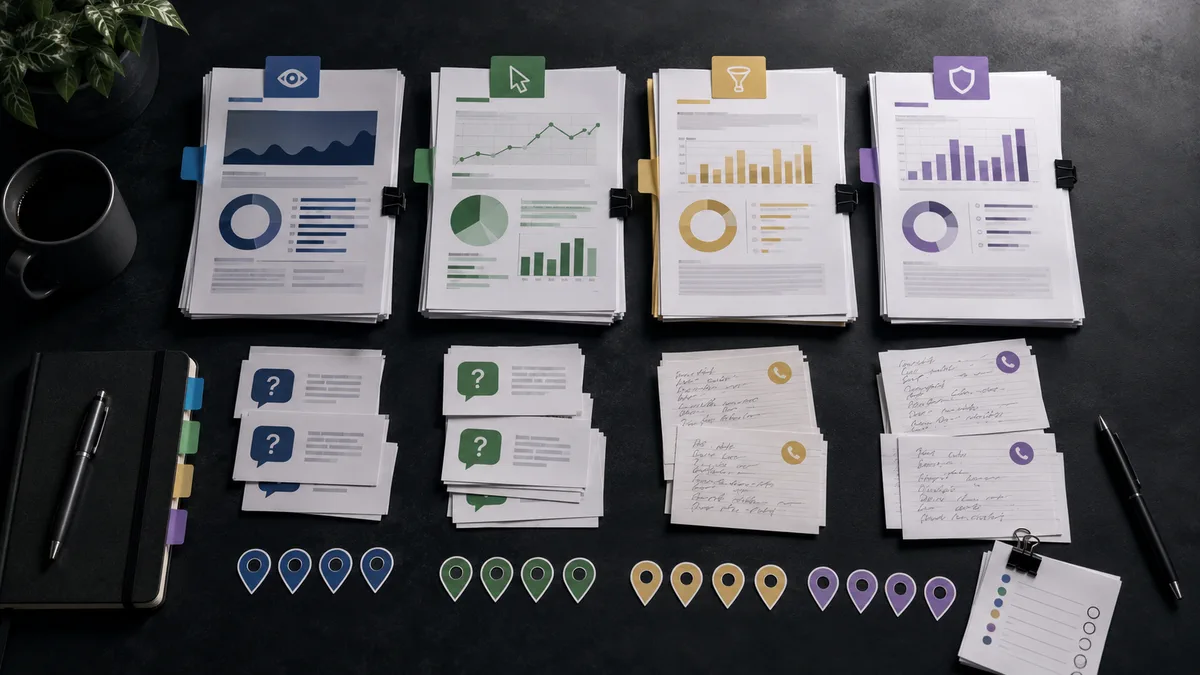
What Search Console Can and Cannot Tell You
Google’s Search Console Performance report documentation explains that the tool can show clicks, impressions, average position, and click-through rate for Google Search (https://support.google.com/webmasters/answer/7576553). That is useful. It is also not the same as a full customer acquisition report.
Search Console can help you see query patterns, pages earning impressions, pages losing clicks, and changes that deserve inspection. If AI results answer more of the customer’s question before the click, you may see impressions hold while clicks soften. If your service page appears for broader research queries but not buying queries, that is a different problem. If branded demand drops, that may signal a trust or awareness issue outside the report.
What Search Console cannot do is read the buyer’s mind, audit your service pages, diagnose your reviews, or tell you whether ChatGPT summarized a competitor because their public evidence was clearer. Very lazy of it, honestly.
Why AI Reports Need Business Context
AI search reporting matters because the customer journey is getting compressed. A customer can ask Google for advice, read an AI-generated answer, compare two providers, check reviews, and only click when they are much closer to a decision. That means fewer clicks may not always mean weaker demand. It might mean the click is happening later, after more filtering.
It can also mean you are being filtered out. That is the part owners should not ignore.
Google’s documentation for AI features says site owners can use standard Search controls and ordinary SEO practices for AI Overviews and AI Mode, and that there are no extra technical requirements to appear in those AI experiences (https://developers.google.com/search/docs/appearance/ai-features). In plain English: the work is still crawlability, helpful content, clear page structure, trust, and relevance. The job description changed, but the fundamentals did not pack a suitcase and leave.
So when an AI report changes, the next step is not panic. It is diagnosis. Which queries changed? Which pages are involved? Are those pages actually answering the buyer’s question? Are they strong enough to support a recommendation, or are they a vague brochure wearing a button?

The Five Checks to Run Before You Rewrite Anything
Before rewriting half the site because one chart made a dramatic gesture, run a practical five-part review.
- Check whether the affected queries are informational, local, branded, comparison, or high-intent service queries.
- Match each important query to the page Google is showing, not the page you wish Google would show.
- Compare impressions, clicks, click-through rate, leads, calls, forms, and bookings over the same period.
- Inspect the page for direct answers, proof, reviews, service clarity, pricing context when appropriate, and next steps.
- Test related buyer prompts in AI tools and record whether your brand is cited, mentioned, missing, or misrepresented.
That sequence keeps the report tied to revenue. Otherwise, the business ends up optimizing for a graph instead of a customer. Graphs are charming, but they do not book appointments.
Do Not Confuse Reporting With Fixing
A report can tell you where to look. It cannot make a weak page useful. If the affected page is thin, slow, outdated, or unclear, the fix is still page improvement. If the page blocks crawlers, hides important facts in images, or buries the service explanation under twelve paragraphs of agency fog, the fix is technical and editorial. If competitors keep appearing in AI answers because they have stronger reviews, clearer comparison content, and better third-party proof, the fix is evidence.
Google’s Search Essentials still emphasize that Google needs to access, render, index, and understand pages, and that site owners should avoid deceptive tactics (https://developers.google.com/search/docs/essentials). Google’s helpful content guidance also points toward people-first content that demonstrates usefulness and satisfies the visitor’s task (https://developers.google.com/search/docs/fundamentals/creating-helpful-content). Boring guidance? Maybe. Useful guidance? Annoyingly yes.
Search Console AI reports should feed a fix list, not a superstition list. “Post more blogs” is not a strategy if the service pages are weak. “Add schema” is not a strategy if the visible page says almost nothing. “Force Google to crawl daily” is not a strategy if the page being crawled is not worth choosing.
How Owners Should Turn AI Reporting Into Action
Start with pages close to revenue: service pages, location pages, comparison pages, pricing or package pages, productized offer pages, and key proof pages. These are the pages most likely to affect whether a buyer calls, books, requests a quote, or keeps researching someone else.
For each page, ask three owner-level questions. First, can a rushed customer understand what you do in ten seconds? Second, can a skeptical customer find proof without digging? Third, can an AI system extract clear facts about who you help, where you operate, what you offer, and why you are credible?

Then prioritize fixes by business impact. A low-click informational blog post may matter less than a service page that gets impressions for a buying query but produces no leads. A branded query drop may require reputation and proof work. A comparison-query gap may require honest competitor and alternative content. A local visibility issue may require Google Business Profile consistency, reviews, location proof, and clearer service-area language.
This is where AI visibility becomes practical. It is not about tricking ChatGPT or pleasing a reporting widget. It is about making your business retrievable, understandable, trusted, cited, recommended, and easy to choose when the customer uses AI or search as the middleman.
The Bottom Line
Search Console AI reports are a welcome clue. They are not the whole case file. Owners should use them to spot patterns, connect those patterns to revenue pages, and decide what to fix first.
If the report shows movement, do not immediately chase a new acronym. Check the query, page, intent, proof, technical access, and conversion path. The practical win is not “we looked at an AI report.” The win is fewer wasted guesses and a clearer path to more customers.
A paid AI Visibility Audit can turn those clues into a prioritized fix list across search visibility, AI answer readiness, page evidence, and conversion gaps. Because another dashboard is nice. Knowing what to do next is better.