
A homeowner searches for your business by name on Google. Nothing loads that looks right, or worse, a competitor's page shows up in the spot that should be yours. You check the site yourself from your laptop and it looks completely normal, so you shrug and move on, except the problem never actually went away.
Google's John Mueller confirmed on a recent Search Off the Record episode that "are you a bot" verification screens, the kind bot-protection tools show to visitors flagged as suspicious, can get indexed by Google instead of the real page underneath them (https://www.searchenginejournal.com/are-you-a-bot-screens-can-get-your-pages-dropped-by-google/582801/). Because the same generic verification screen shows up on many different websites, Google can end up treating your page as a duplicate of someone else's, and it may quietly choose a competitor's page as the "real" version instead of yours.
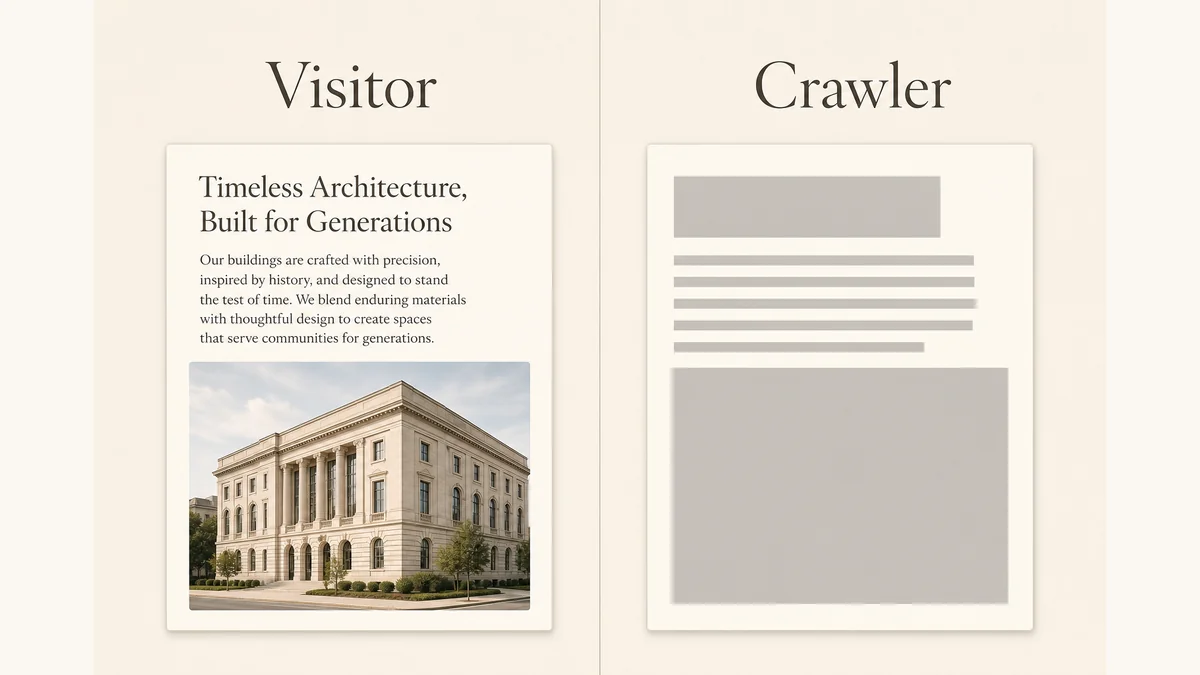
Why Google Might Be Looking At A Blank Room Instead Of Your Homepage
Here is the part that makes this genuinely hard to catch. A normal visitor, meaning you, almost never sees the verification screen, because bot-protection tools are built to challenge suspicious traffic and wave regular humans straight through. So when you open your own site to check that everything is fine, it is fine, for you. Googlebot is a different story. If your CDN, hosting security layer, or firewall decides a crawl looks automated, which crawling by definition always does, it can serve Googlebot the verification page instead of your actual content, and Google may store that verification page as what your URL contains.
Mueller was direct about why this is so easy to miss: the request technically succeeds, so nothing looks broken from a server-health standpoint, and the usual instinct of hunting for an error page or a 500 status does not apply. The site is reachable. It just isn't showing Google what it's showing you.
What This Quietly Costs You If Nobody Catches It
This is not a rare edge case reserved for huge enterprise sites with aggressive bot defenses. Any business using a CDN, web application firewall, or hosting-level bot protection can be affected, including small local companies that would never think of themselves as running complicated infrastructure. The failure mode is specific and expensive: your page can drop out of the index entirely, or Google can pick a different site as the canonical source for content that is actually yours, and either outcome means the customer searching for you by name, by service, or by "near me" ends up somewhere else. You lose the click before you ever had a chance to compete for it on price, reviews, or quality.
It can also undercut AI-driven search surfaces that rely on search indexes, cached pages, or search results. If an assistant's underlying source has the wrong page, or no page, for your business, that gap can carry into the answer. You do not get a special warning that says "an AI assistant tried to recommend you and hit a wall." You just get fewer customers than the quality of your business should be producing, with no obvious explanation.
How To Actually Check This In Ten Minutes
You cannot see this problem by browsing your own site, so stop trying that and go straight to the tool built for exactly this blind spot.
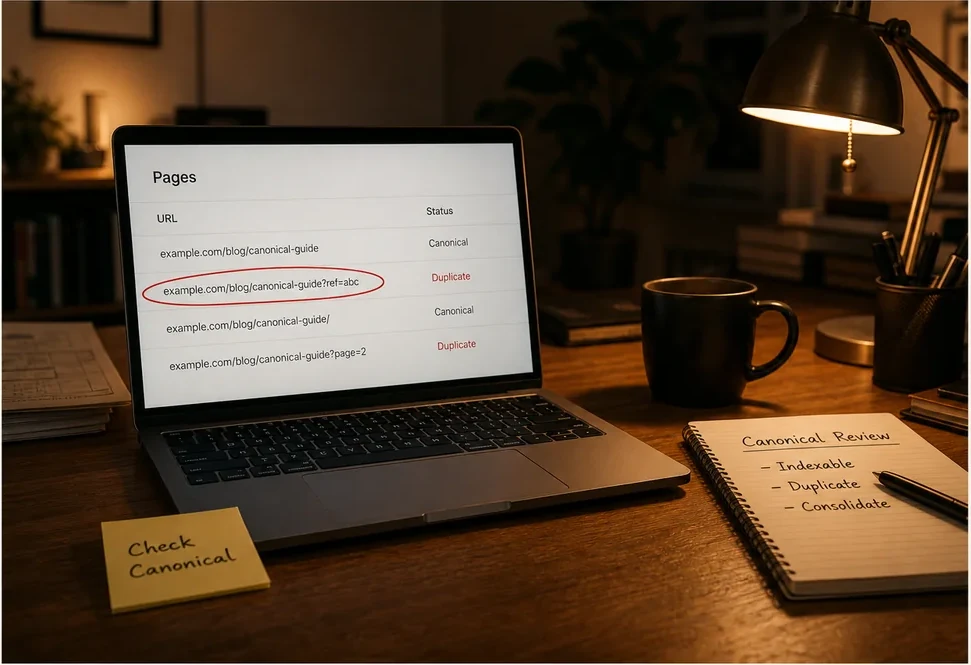
- Open Search Console's Page Indexing report and look for pages marked as "duplicate, Google chose different canonical than user" or flagged as not indexed for reasons that don't match what you see in a browser.
- Run the URL Inspection tool on your two or three highest-value pages, the homepage and your main service or location pages, and check which URL Google says is the canonical version.
- If the canonical URL belongs to a domain that isn't yours, or the "as fetched by Google" preview doesn't match what a human visitor sees, you have found exactly the problem Mueller described.
- Note which pages are affected and roughly when the issue appears to have started, since your security or hosting vendor will need that to trace the trigger.
The Fix, In Order
Once you've confirmed it, the fix is a conversation, not a rebuild.
- Contact whoever manages your CDN, firewall, or bot-protection service and describe exactly what you found in Search Console, including the specific flagged URLs.
- Ask them to review the bot-detection rules or challenge thresholds that apply to crawler traffic, since the goal is to stop misclassifying Googlebot as suspicious without turning off protection against real bad traffic.
- After the setting is corrected, use Search Console's Validate Fix option on the affected issue so Google can recheck the affected URLs instead of waiting for the normal cycle (https://www.searchenginejournal.com/when-to-use-search-consoles-validate-fix-according-to-google/582791/).
- Recheck the URL Inspection tool on the same pages a few days later to confirm Google is now seeing your real content and has restored the correct canonical.
- Add this exact check, indexing report plus a spot inspection of your top pages, to whatever recurring visibility review you already run, because security settings get tightened again after the next vendor update, sometimes without anyone telling you.

The Mistake Most Businesses Make Here
The mistake isn't having bot protection. You should have it; the open internet is unpleasant and getting worse, and a WAF or CDN is doing real work keeping junk traffic and attacks off your site. The mistake is treating "the site loads fine when I check it" as proof that Google sees the same thing you do, when this exact story shows those two things can quietly disagree for months. Security tools are tuned to be suspicious of anything that behaves like a bot, and a search engine crawler behaves like a bot by definition, so the two systems are always one aggressive setting away from talking past each other.
The second mistake is assuming this only matters for huge sites with huge crawl budgets. A small local business with one location and a modest website is just as exposed, and arguably has less slack to absorb a few months of missing or misattributed indexing while nobody notices.
If you've never actually checked whether Google, and the AI tools that lean on Google's index, are seeing the same business you are, an AI visibility audit gives you a specific, prioritized list of what's actually blocking customers from finding you, instead of a guess.